BONGO
CAT
ESP32 + OLED + BUZZER — 2026
Todo empezó con el clásico meme de Bongo Cat
presionas dos botones y el gato anima sus brazos en una pantalla OLED, sincronizado con notas musicales en un buzzer.
El proyecto combina animación por bitmaps en OLED de 128×32px, detección de botones y generación de tonos vía PWM
| # | Componente | Especificación | Cantidad |
|---|---|---|---|
| 01 | ESP32 DevKit | Dual-core 240MHz · WiFi+BT · 3.3V lógica | ×1 |
| 02 | OLED SSD1306 | 0.91" · 128×32px · I2C · 3.3V | ×1 |
| 03 | Push Button | Momentáneo · 4 pines · PCB mount | ×2 |
| 04 | Buzzer Piezoeléctrico | Pasivo · TMB12A05 · 5V compatible | ×1 |
| 05 | Resistencias | 10kΩ pull-up para botones | ×2 |
| 06 | PCB personalizado | KiCad · 2 capas · fabricado JLCPCB | ×1 |
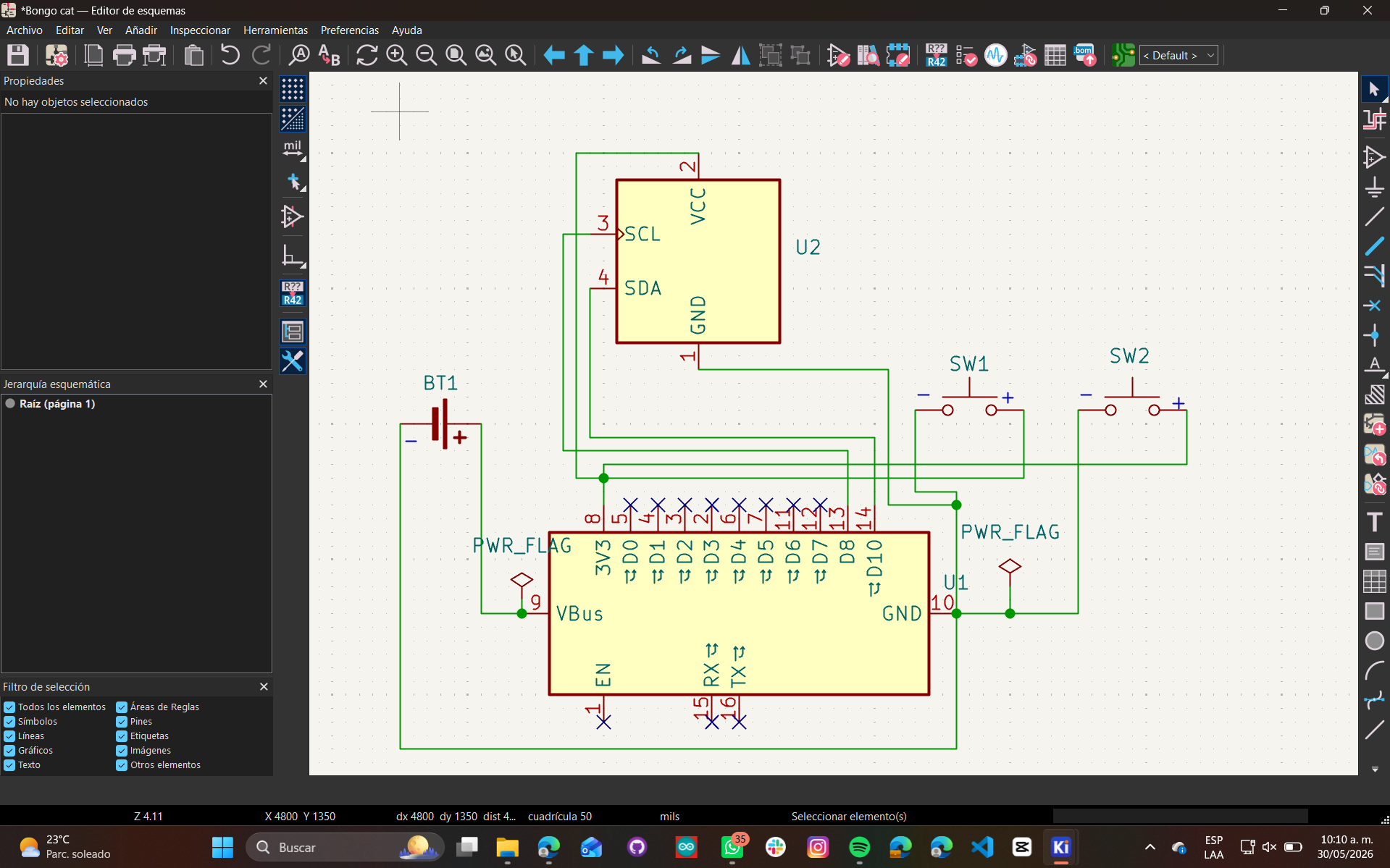
Todos los componentes necesitan voltajes compatibles. La entrada es USB 5V y el ESP32 regula internamente a 3.3V.
El PCB fue diseñado en KiCad — 5 unidades, 2 capas, El diseño es compacto, con los botones en los extremos laterales para que sea natural tocarlos como bongos de verdad.
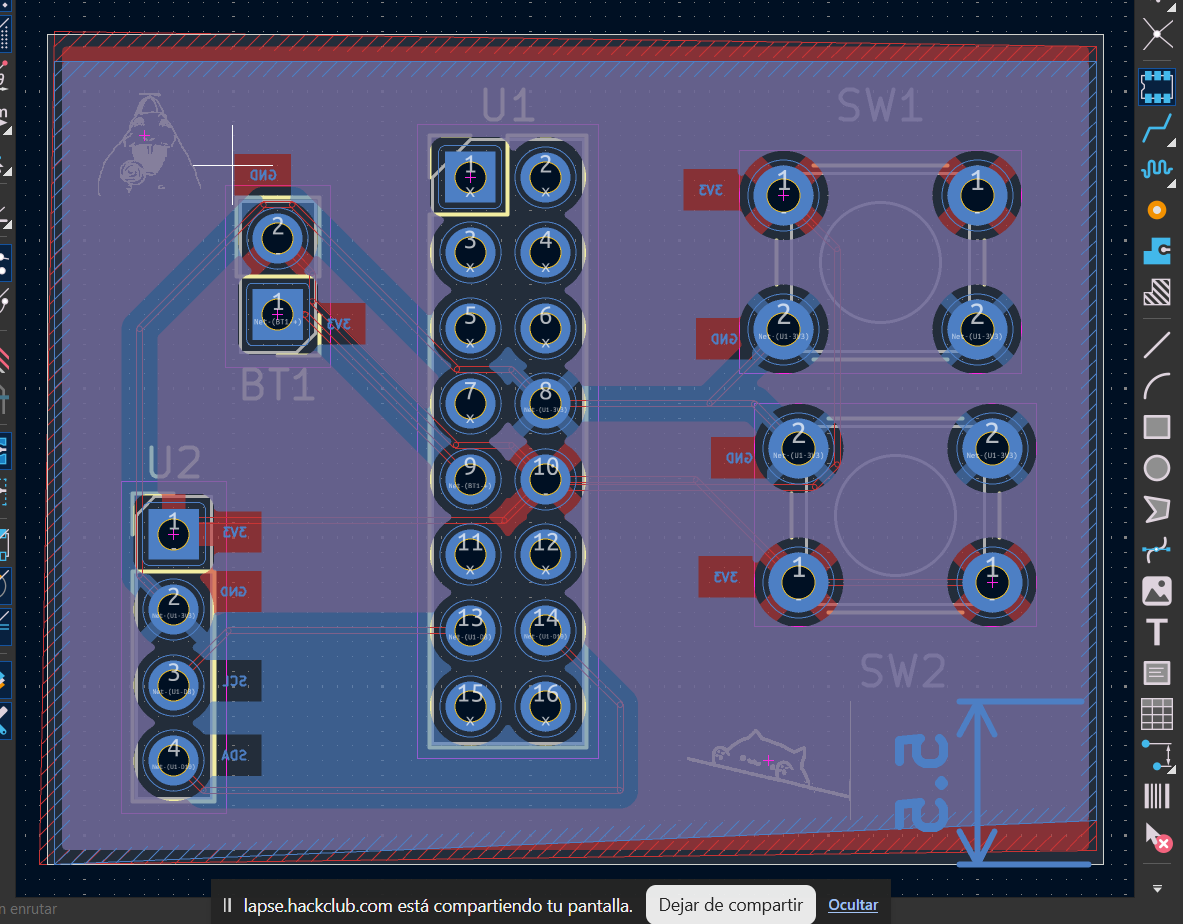
PCB TOP VIEW — KICAD
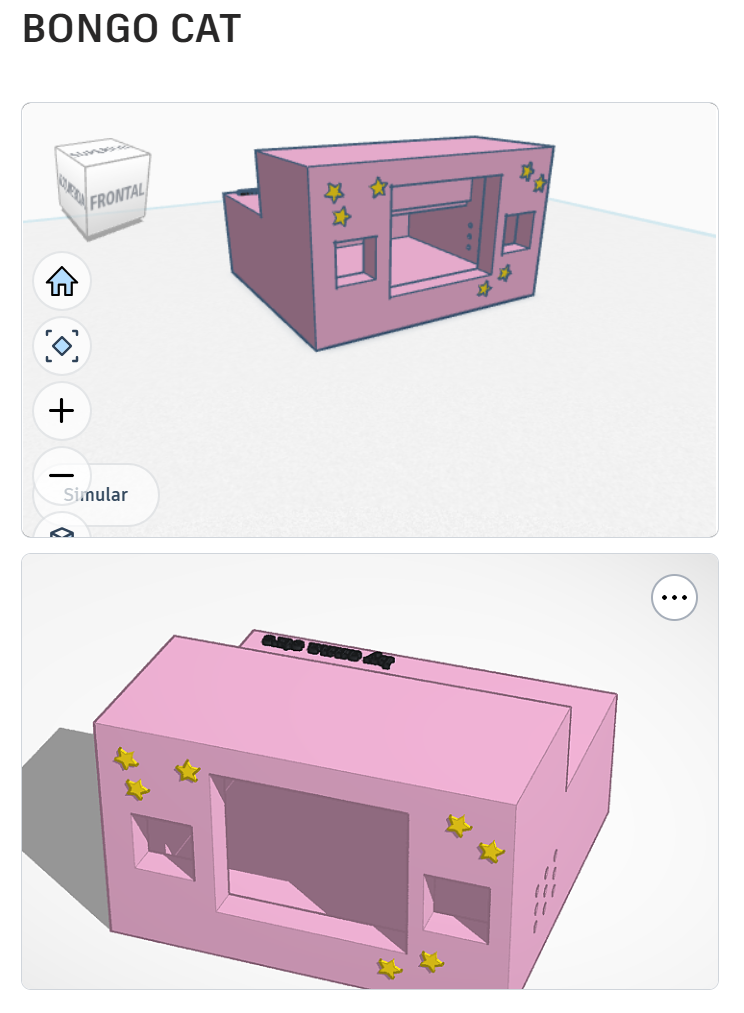
VISTA 3D — KICAD
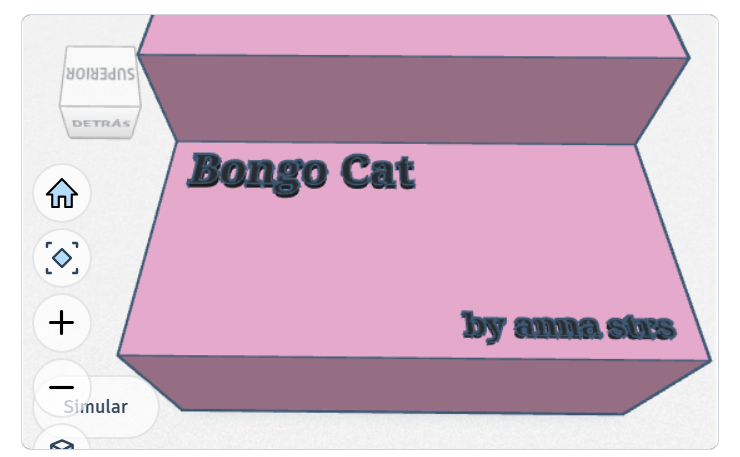
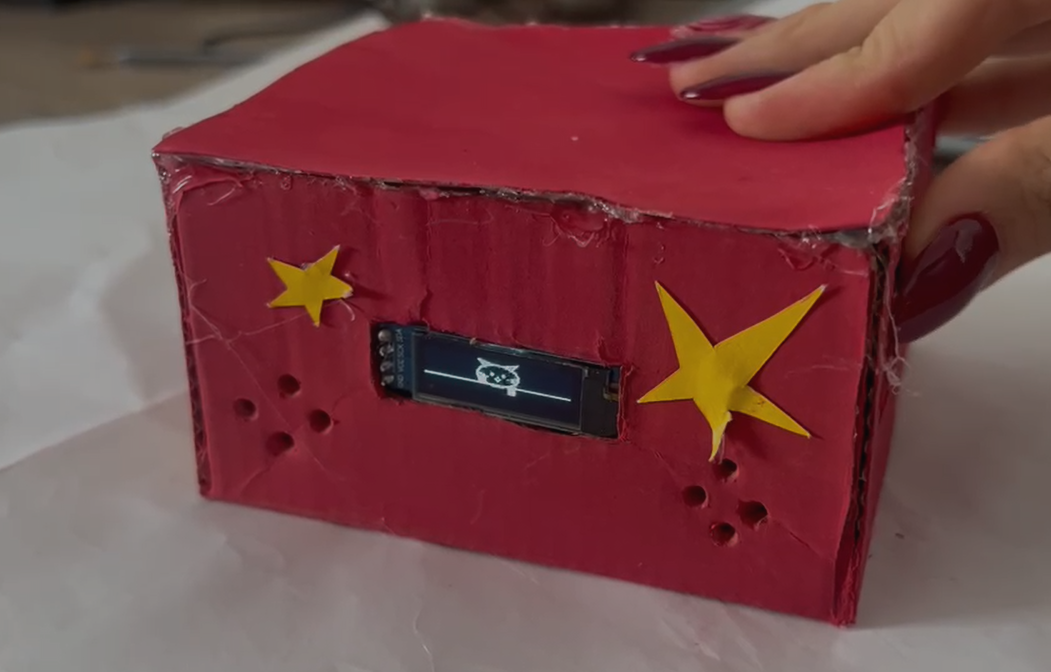
La caja fue diseñada para que el OLED quede visible al frente, los botones sobresalgan a los lados — cómodo para tocar con ambas manos.
Adafruit SSD1306 y Adafruit GFX. Compilar y cargar por USB.// ═══════════════════════════════════════════════════ // BONGO CAT — ESP32 + OLED 0.91" + Buzzer Pasivo // Arduino Framework · 2026 // ═══════════════════════════════════════════════════ #include <Wire.h> #include <Adafruit_GFX.h> #include <Adafruit_SSD1306.h> // ─── PANTALLA ─── #define SCREEN_WIDTH 128 #define SCREEN_HEIGHT 32 #define OLED_RESET -1 #define SCREEN_ADDR 0x3C // ─── PINES ─── #define BTN_L 18 #define BTN_R 19 #define BUZZER 25 #define BUZ_CH 0 // ─── NOTAS ─── #define NOTE_A4 440 #define NOTE_D5 587 Adafruit_SSD1306 display(SCREEN_WIDTH, SCREEN_HEIGHT, &Wire, OLED_RESET); // ─── ESTADO ─── bool lUp = false, rUp = false; unsigned long lastHit = 0; const int BEAT = 150; // ─── BITMAPS DEL GATO (generados con image2cpp) ─── // 4 frames: neutral, brazo izq, brazo der, ambos const unsigned char PROGMEM catNeutral[] = { 0x00,0x00,0x07,0xE0,0x00,0x00,0x00,0x00, /* ... 248 bytes total para 64x32 bitmap ... */ }; const unsigned char PROGMEM catLeftUp[] = { /* ... */ }; const unsigned char PROGMEM catRightUp[] = { /* ... */ }; const unsigned char PROGMEM catBothUp[] = { /* ... */ }; // ─── SETUP ─── void setup() { if (!display.begin(SSD1306_SWITCHCAPVCC, SCREEN_ADDR)) { for(;;); // halt si falla el OLED } display.clearDisplay(); display.display(); pinMode(BTN_L, INPUT_PULLUP); pinMode(BTN_R, INPUT_PULLUP); // LEDC para PWM del buzzer (ESP32 native) ledcSetup(BUZ_CH, 2000, 8); ledcAttachPin(BUZZER, BUZ_CH); splashScreen(); } // ─── LOOP ─── void loop() { bool btnL = (digitalRead(BTN_L) == LOW); bool btnR = (digitalRead(BTN_R) == LOW); unsigned long now = millis(); if (btnL && !lUp) { lUp = true; lastHit = now; ledcWriteTone(BUZ_CH, NOTE_A4); } if (btnR && !rUp) { rUp = true; lastHit = now; ledcWriteTone(BUZ_CH, NOTE_D5); } if (now - lastHit > BEAT) { lUp = rUp = false; ledcWriteTone(BUZ_CH, 0); } drawCat(); delay(10); } // ─── RENDER ─── void drawCat() { display.clearDisplay(); const unsigned char* frame = catNeutral; if (lUp && rUp) frame = catBothUp; else if (lUp) frame = catLeftUp; else if (rUp) frame = catRightUp; display.drawBitmap(32, 0, frame, 64, 32, WHITE); if (lUp || rUp) { display.setTextSize(1); display.setTextColor(WHITE); display.setCursor(2, 4); display.print("♪"); display.setCursor(108, 6); display.print("♫"); } display.display(); } void splashScreen() { display.clearDisplay(); display.setTextSize(1); display.setTextColor(WHITE); display.setCursor(20, 8); display.println("BONGO CAT :3"); display.setCursor(16, 20); display.println("tap to play!"); display.display(); delay(2000); }
PRESIONA LOS BOTONES
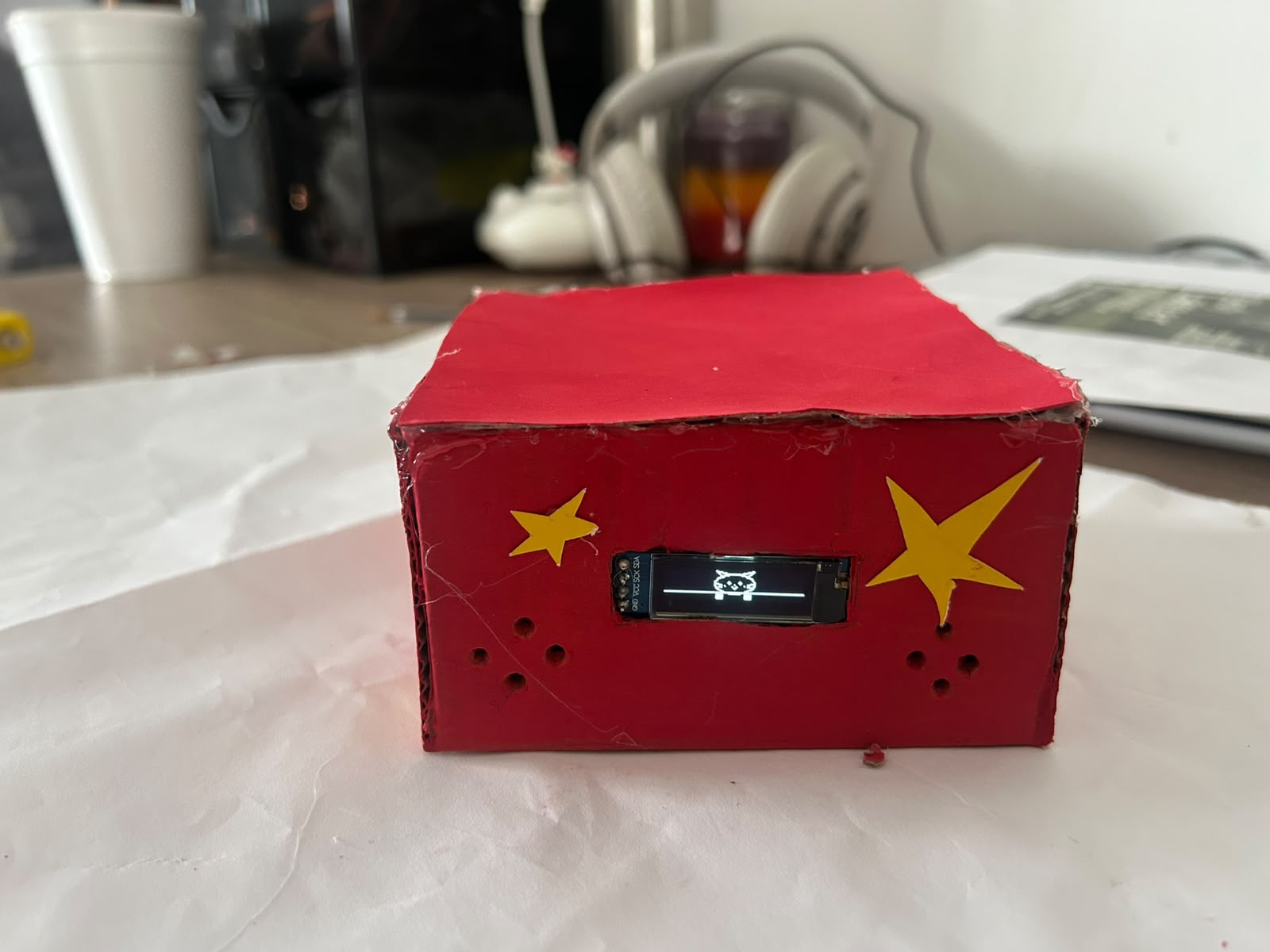
El proyecto terminado, ensamblado y funcionando. Sube tus fotos del hardware real aquí.
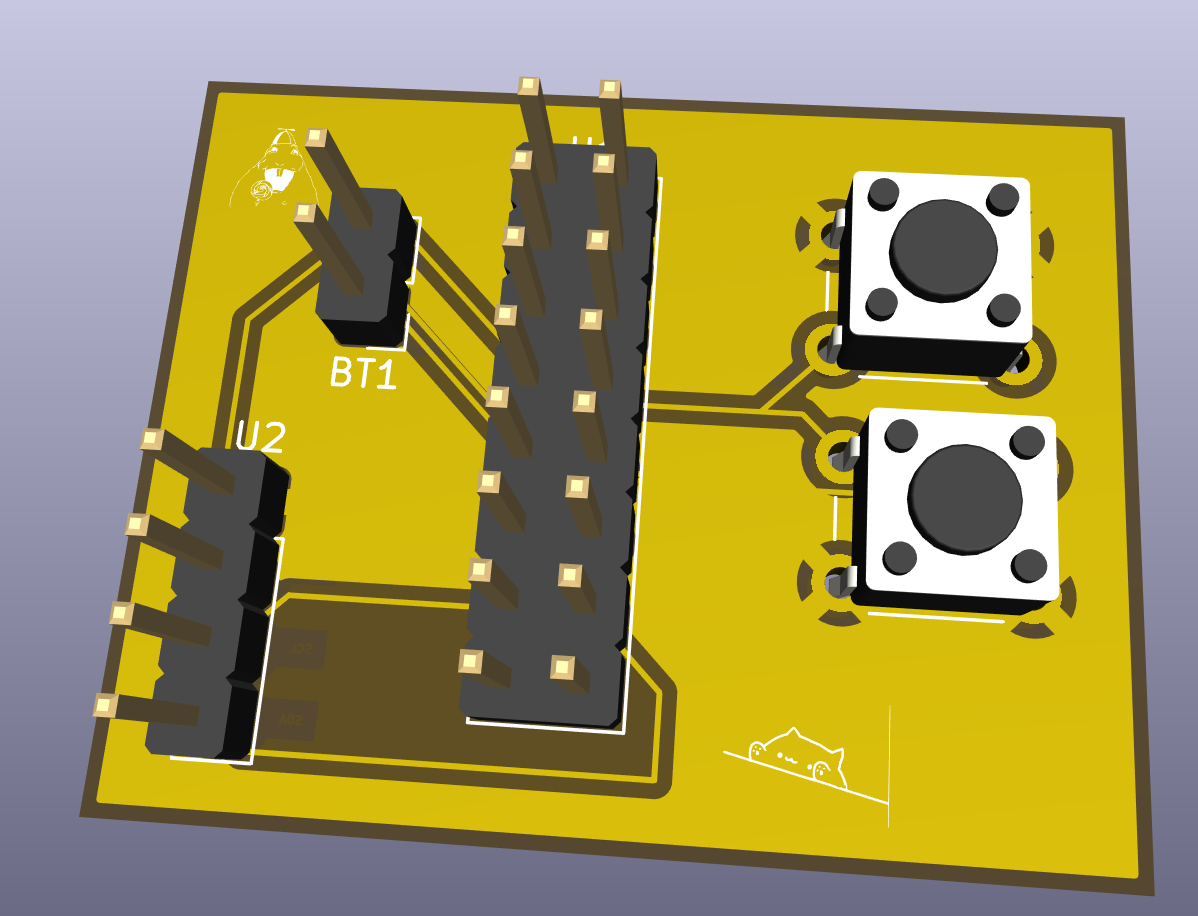
FOTO PRINCIPAL
.jpeg)